Custom SMTP application and Webmail Sent folder

So this is kind of a weird request.

We have a custom program that sends email out using basic SMTP commands using an account on our Axigen mail server. This all works fine.

What we are looking to do is have any email that is sent out using this account, end up in the SENT folder of the account on webmail, so that someone can log in through webmail and see what was sent using the account.
I do not have access to the source code of this custom app, and IMAP is not an option. Does anyone know of a way that I can use rules in “Acceptance and Routing” so that I can save a copy of and email sent using the account to the SENT folder of the account.

Any help is greatly appreciated.

Hello Kevin,

Yes, please use an advanced routing rule to add a new recipient (it is similar with asking the mail client to use BCC).

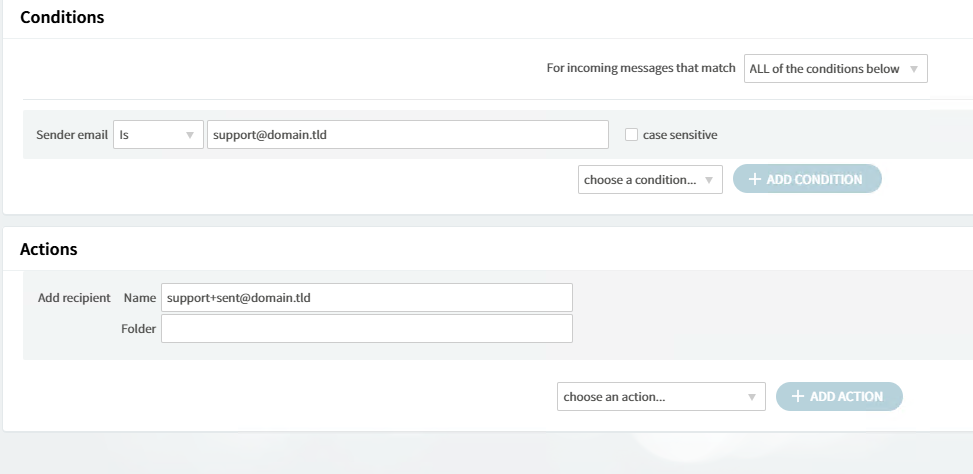
Let’s assume the sender is support@domain.tld so you may add, from that routing rule, a new recipient called support+sent@domain.tld

I have not tested but it should work.

If it does not we’ll find for sure a proper way :innocent:

HTH,
Ioan

Thanks for the response! :slight_smile:

I gave it a try, but maybe I am misunderstanding. If I put in a rule like this:

(for clarification, I used a real email address in my tests)

Then I get a message in the inbox from mailer-daemon@axigen stating that we are very sorry/unable to deliver/ support+sent@domain.ltd: User Unknown

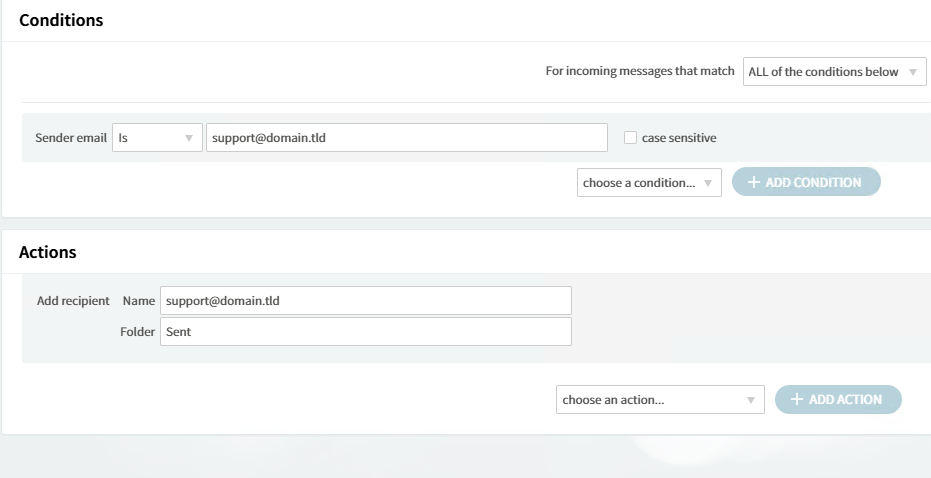
I also tried it this way:

It comes in to the Inbox of the support email account, not the sent folder.

Expounding, I think I may have come up with something.

I kept the second rule in place (the one that had the email end up in the Inbox).

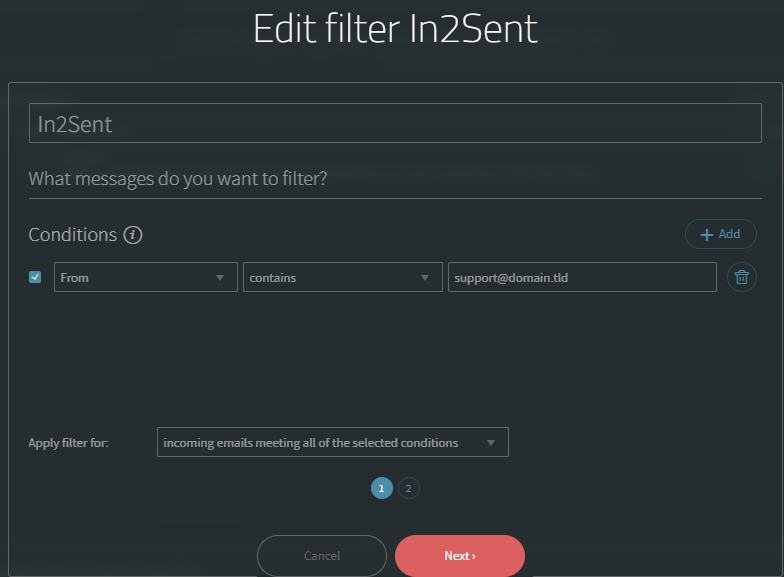
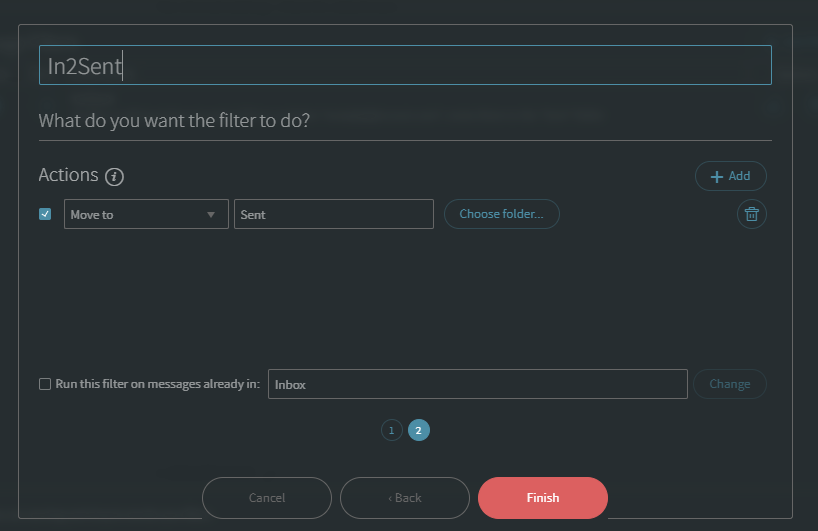
I then created the following user filter in webmail for the user:

This actually worked upon my initial tests, and did what I was looking for. I am going to run with this for now, but if you have any other ideas, I am all ears!

Thanks for getting me pointed in the right direction!