Hi there, I am new to Axigen and have just installed it on Ubuntu. I am using this primarily as a backup server for my emails. It successfully pulls my emails from a dedicated POP3 account where the emails I wish to archive/backup have been forwarded. That is the crucial bit and this also allows me remote access when I am travelling to archived mail. This is setup at home using my ISP which does not provide Static IP address so I am reliant upon DDNS (which works well for the above).
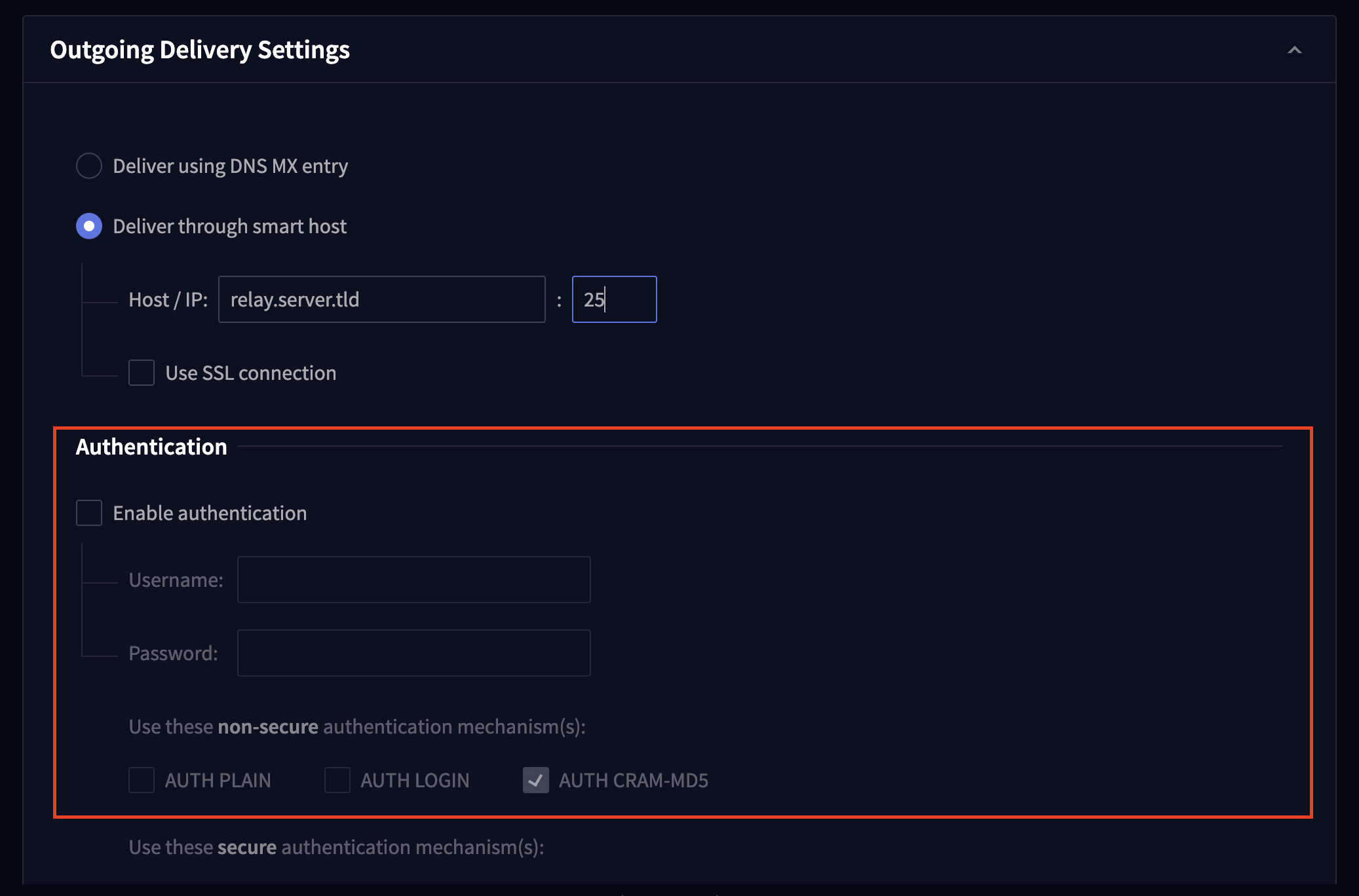
However, I would very much like to be able to send/forward email when I am away from home and most servers block all Dynamic IP addresses. I am trying to configure a relay to my mail hosting provider but what I have doesn’t seem to be working. I have setup my provider in Outgoing Delivery Settings and also completed authentication but the logs show:
2026-01-18 15:12:15 +0000 08 chancel SMTP-OUT:00000007: Relay mail 2F218B: connecting to 65.20.50.51:465
2026-01-18 15:12:15 +0000 08 chancel SMTP-OUT:00000007: Relay mail 2F218B: connected to 65.20.50.51:465
2026-01-18 15:12:46 +0000 04 chancel SMTP-OUT:00000007: AUTH LOGIN rejected for domain <localdomain> with code 535 (invalid user ID or password)
2026-01-18 15:12:46 +0000 08 chancel SMTP-OUT:00000007: Start sending mail 2F218B
2026-01-18 15:12:46 +0000 08 chancel SMTP-OUT:00000007: Negative reply to MAIL command: authentication required - Your email could not be sent. To fix this you must make a simple change to your email client (known as SMTP authentication). For advice visit http://www.bt.com/smtp
2026-01-18 15:12:46 +0000 08 chancel SMTP-OUT:00000007: Set recipient <postmaster@localdomain> state to RELAY ERROR
2026-01-18 15:12:46 +0000 08 chancel SMTP-OUT:00000007: Delivery attempt completed for mail 2F218B; schedule for cleanup
2026-01-18 15:12:46 +0000 08 chancel SMTP-OUT:00000007: Set mail state to SENT
2026-01-18 15:12:46 +0000 08 chancel SMTP-OUT:00000007: Disconnected from 65.20.50.51
The credentials entered are correct but the sending fails. Any advice would be much appreciated.