This guide introduces the Axigen CLI Skill for Claude Code — an open-source plugin that brings AI-assisted administration to Axigen mail servers. Whether you need help generating the right CLI command sequences for your automation project or want hands-on assistance executing commands on a live server, this skill has you covered.
Note: This article may not reflect the latest changes. For the most up-to-date installation instructions, environment variables, and usage documentation, always refer to the README on GitHub.
Overview
The Axigen CLI is a telnet-based administration interface providing full control over your mail server — domains, accounts, services, queues, and diagnostics. It uses a hierarchical context model with over 120 distinct contexts and hundreds of commands.
The Axigen CLI Skill gives Claude Code complete knowledge of the CLI's command reference, navigation model, and operational patterns — covering 126 contexts with 2,900+ commands, including many not documented in the standard CLI help export.
Two Ways to Use the Skill
The skill supports two distinct use cases, each serving a different audience and workflow.
Use Case 1: Command Advisory Mode — "What commands should I run?"
Who it's for: Developers and system integrators building automation — for example, a telecom company developing a provisioning module in their existing BSS-to-OSS flows, or an MSP building a custom control panel that needs to issue Axigen CLI commands programmatically.
How it works: You describe what you want to achieve, and Claude generates the exact CLI command sequence with correct context navigation, commit patterns, and expected responses. You then integrate these commands into your own automation scripts, provisioning systems, or orchestration tools.
Example:
You: "What CLI commands do I need to create a domain, add an account with a 5GB quota, and configure the account's contact info?"
Claude responds with the complete sequence:
<#> CREATE Domain name example.com domainLocation /axigen/var/domains/example.com wmFilterTemplatePath none postmasterPassword <password>
+OK: command successful
<domain-create#> COMMIT
+OK: command successful
# Step 2: Navigate to the domain and create an account
<#> UPDATE Domain name example.com
+OK: command successful
<domain#> ADD Account name john password <password>
+OK: command successful
# Step 3: Configure contact information
<domain-account#> CONFIG ContactInfo
+OK: command successful
<domain-account-contactInfo#> SET firstName John
+OK: command successful
<domain-account-contactInfo#> SET lastName Doe
+OK: command successful
<domain-account-contactInfo#> DONE
+OK: command successful
# Step 4: Set the 5GB quota
<domain-account#> CONFIG Quotas
+OK: command successful
<domain-account-quotas#> SET totalMessageSize 5242880
+OK: command successful
<domain-account-quotas#> DONE
+OK: command successful
# Step 5: Commit and save
<domain-account#> COMMIT
+OK: command successful
<domain#> BACK
+OK: command successful
<#> SAVE CONFIG
+OK: command successful
Why this matters for automation: The prompts (<domain#>, <domain-account-quotas#>) show exactly which context you're in at each step. The +OK / -ERR response codes tell your code whether to proceed or handle an error. Your provisioning system can replay this exact sequence over a TCP connection.
No server connection needed. This mode works purely from Claude's knowledge of the CLI reference.
Use Case 2: Live Execution Mode — "Do this on my server"
Who it's for: System administrators of small-to-medium installations who want hands-on help managing their Axigen server — creating accounts, configuring services, troubleshooting queue issues, and performing day-to-day administration tasks.
How it works: You configure Claude Code with your server's connection details, then ask it to perform tasks. Claude generates the commands AND executes them against your live server, showing you the actual responses.
Example:
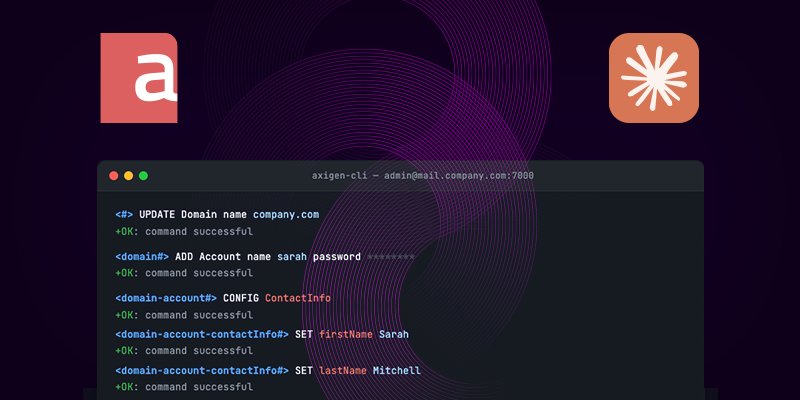
You: "Create a domain called company.com on my server"
Claude connects and executes:
+OK: command successful
<domain-create#> COMMIT
+OK: command successful
<#> SAVE CONFIG
+OK: command successful
More examples:
- "List all accounts in company.com"
- "Suspend the account john@company.com"
- "Show me stuck messages in the queue older than 2 days"
- "Enable TLS 1.3 on the IMAP listener"
- "What's the server license status?"
CAUTION: AI-Generated Commands May Contain Errors
WARNING — Use with care in production environments
The Axigen CLI Skill uses an AI language model to generate command sequences. While the skill includes a comprehensive command reference and navigation model, the AI may produce incorrect, incomplete, or out-of-order commands. Specifically:
- The model may hallucinate commands that don't exist or use incorrect syntax
- The model may omit critical steps such as COMMIT (losing changes) or SAVE CONFIG (changes not persisting across restarts)
- The model may navigate to the wrong context, causing commands to fail or apply to unintended objects
- Destructive commands (REMOVE, PURGE, DELETE) executed without proper verification can cause permanent data loss
- Service commands (STOP Service) can cause immediate service outages
Recommendations:
- Always review generated commands before executing them on production servers
- Test on a staging environment first — use a Docker test instance for validation
- Back up your configuration (SAVE CONFIG creates a configuration snapshot) before making bulk changes
- Use advisory mode (Use Case 1) for critical operations — review the sequence manually, then execute it yourself
- Never grant the AI unsupervised access to production mail servers handling real user data
The skill is a productivity tool, not a replacement for administrator judgment. The authors accept no liability for data loss or service disruption resulting from AI-generated commands.
Installation
Step 1: Add the Axigen Plugin Marketplace
/plugin marketplace add axigen/plugins
Step 2: Install the CLI Skill
/reload-plugins
Step 3: Configure Connection
Set environment variables for your Axigen server:
export AXIGEN_PORT=7000
export AXIGEN_USER=admin
export AXIGEN_PASS=your-admin-password
Step 4: Configure SSL / TLS (if applicable)
If your Axigen CLI service is configured to use SSL, enable encrypted connections:
export AXIGEN_SSL=true
By default, the script requires a valid SSL certificate from a trusted CA. For environments using self-signed or expired certificates:
export AXIGEN_SSL=true
export AXIGEN_SSL_ALLOW_SELF_SIGNED=true
# SSL accepting both self-signed and expired (lab / testing only)
export AXIGEN_SSL=true
export AXIGEN_SSL_ALLOW_SELF_SIGNED=true
export AXIGEN_SSL_ALLOW_EXPIRED=true
Environment Variables Reference
See the GitHub README for the latest and most complete environment variable reference.
| Variable | Required | Default | Description |
|---|---|---|---|
| AXIGEN_HOST | Yes | 127.0.0.1 | Server hostname or IP |
| AXIGEN_PORT | No | 7000 | CLI port |
| AXIGEN_USER | No | admin | Admin username |
| AXIGEN_PASS | Yes | — | Admin password |
| AXIGEN_SSL | No | false | Use SSL / TLS connection |
| AXIGEN_SSL_ALLOW_SELF_SIGNED | No | false | Accept self-signed certificates |
| AXIGEN_SSL_ALLOW_EXPIRED | No | false | Accept expired certificates |
Security Notes
- With SSL enabled (AXIGEN_SSL=true), all traffic is encrypted. Recommended for production.
- Without SSL, the connection is unencrypted telnet. Use on trusted networks or via SSH tunnel:
ssh -L 7000:localhost:7000 user@mail.example.com
- Avoid AXIGEN_SSL_ALLOW_SELF_SIGNED and AXIGEN_SSL_ALLOW_EXPIRED in production.
- For production passwords, use a secrets manager:
export AXIGEN_PASS=$(vault kv get -field=password secret/axigen/admin)
What's Inside the Skill
| Component | Purpose |
|---|---|
| SKILL.md | Teaches the AI the CLI navigation model, common task patterns, COMMIT / DONE / BACK rules, and safety constraints |
| axigen_cli.py | Python helper — plain telnet or SSL / TLS, authentication, command execution, transcript or JSON output |
| cli-reference.md | Complete reference for all 126 CLI contexts — every command with syntax |
The CLI Navigation Model
+-- CONFIG SERVER
| +-- CONFIG IMAP / POP3 / SMTP / WebMail / ...
| | +-- CONFIG AccessControl
| | +-- UPDATE Listener -> CONFIG sslControl
| | +-- START / STOP Service
| +-- CONFIG FILTERS (server-level mail filters)
| +-- CONFIG CLUSTER / CERTS / MOBILITY / USERDB
| +-- CONFIG PERMISSIONS
+-- UPDATE Domain name <domain>
| +-- ADD / UPDATE Account
| | +-- CONFIG ContactInfo -> DONE
| | +-- CONFIG Quotas -> DONE
| | +-- CONFIG Limits -> DONE
| | +-- COMMIT
| +-- ADD / UPDATE Group, List, FolderRcpt
| +-- COMMIT
+-- ENTER QUEUE
| +-- LIST / LIST FILTER / DELETE / DELIVER
| +-- ENTER QUARANTINE
+-- ENTER AACL (admin access control)
Save commands: COMMIT for entities, DONE for sub-configs, BACK discards, SAVE CONFIG persists to disk.
Standalone Usage
The axigen_cli.py helper also works independently, without Claude Code:
python3 axigen_cli.py "LIST Domains"
# SSL connection
python3 axigen_cli.py --ssl "LIST Domains"
# SSL with self-signed cert
python3 axigen_cli.py --ssl --ssl-allow-self-signed "LIST Domains"
# JSON output for scripting
python3 axigen_cli.py --json "SHOW LicenseInfo"
# Read commands from file
python3 axigen_cli.py --script provisioning-batch.txt
Source Code
Open source under the MIT license:
- Skill: github.com/axigen/plugin-cli-skill — always the latest version
- Marketplace: github.com/axigen/plugins
Conclusion
The Axigen CLI Skill brings AI-assisted administration to Axigen mail servers through two complementary modes:
- Advisory mode for developers building automation — get exact command sequences without connecting to a server
- Execution mode for administrators — manage your server through natural language with live feedback
Both modes support plain telnet and SSL / TLS connections with configurable certificate validation. The skill is available on GitHub under the MIT license.
Try Axigen for FREE for 60 days (full features, no credit card required)